Sokoban · 3 min read
Sokoban: Push Crates, Avoid Corners, and Undo Mistakes
Sokoban turns a small warehouse into a planning puzzle. Move the mint-colored character around the walls and push the wooden crates onto the green targets. You can walk freely through open floor, but a crate moves only when you stand behind it and push into it. There is no pulling, jumping, or pushing two crates at once. This version contains 24 small puzzles, starting with a single push and building toward layouts with several crates and tighter routes.
Play SokobanMove behind a crate, then push it into free space
Use the arrow keys or WASD to walk one square at a time. On a touch screen, use the four direction buttons below the controls. If the next square contains a crate, the crate moves only when the square beyond it is free. A wall or another crate blocks the push. Clicking the crate itself does not select a destination or move it automatically.
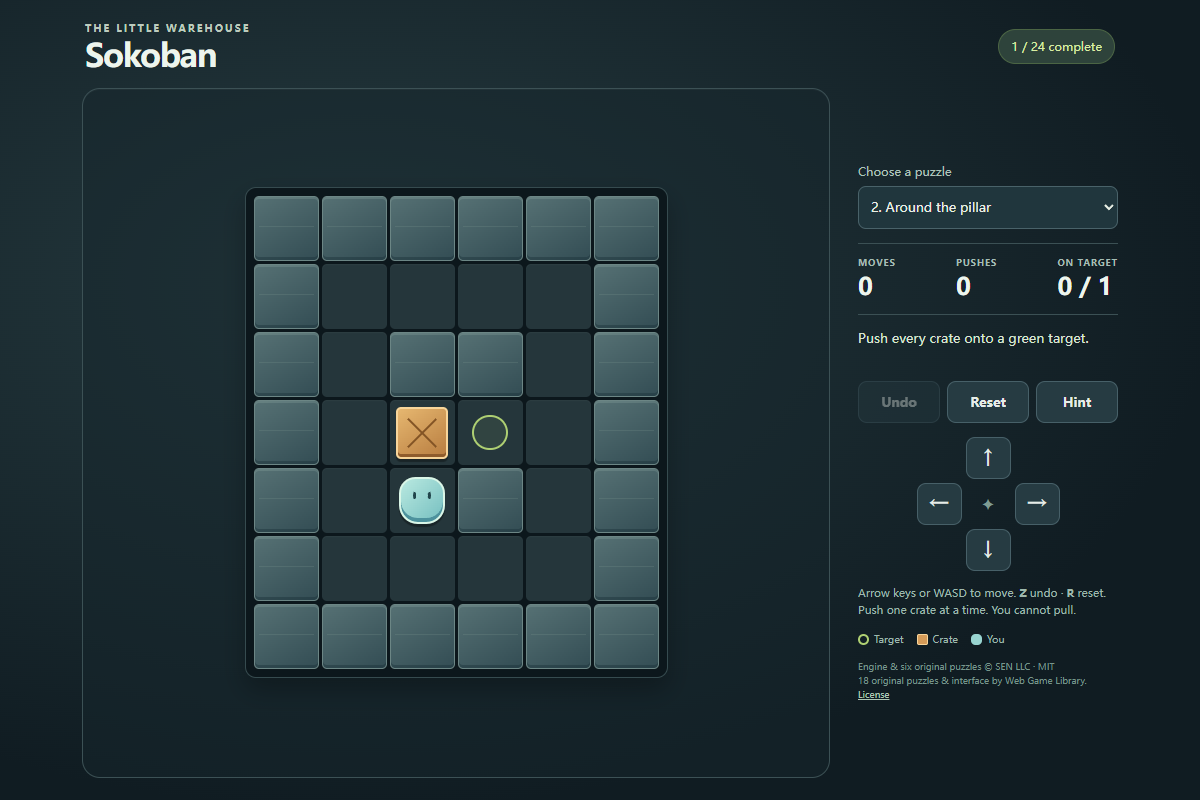
The first puzzle, First push, gives you a direct example: the player starts immediately to the left of one crate, with a target just beyond it. Move right once to finish. Then use Next puzzle to continue. In the pictured second puzzle, Around the pillar, the player starts below the crate, while the target is on its right. You need to walk around to its left before pushing.
- Move left once from the starting square to reach the open corridor.
- Move up once to stand immediately to the left of the crate.
- Move right once to push the crate onto the target and solve Around the pillar.
Plan where you will stand for the next push
A crate close to a target is not necessarily easy to finish. You must also reach the square on the opposite side of the crate. Before pushing, imagine its next position and check whether a wall, another crate, or the crate itself will cut off that standing space. A crate pushed into a corner without a target becomes stuck because neither required approach is available.
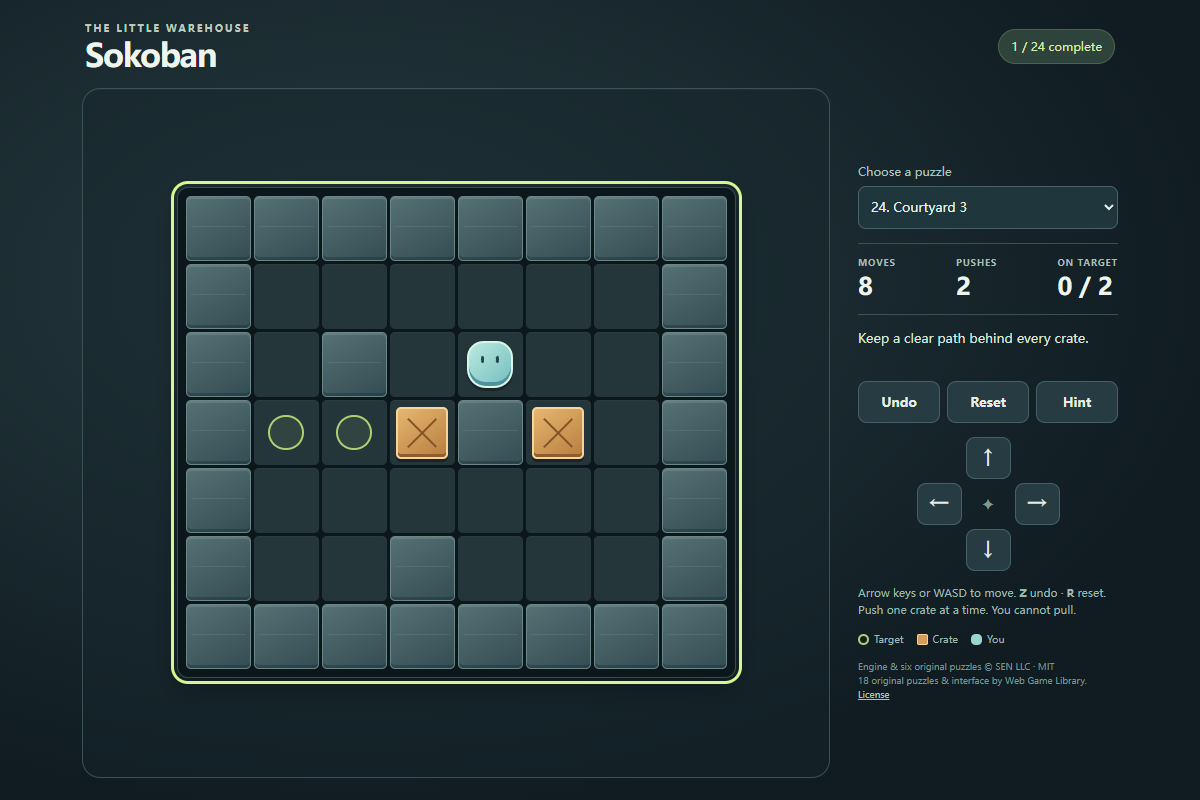
The pictured Courtyard 3 position has two crates and two green targets. The character has made eight moves, including two pushes, but neither crate is on a target yet. The wall between the crates makes their approach routes different. Plan the route behind each crate rather than repeatedly pushing the nearest one toward a target. If a crate is already on a target, you may still move it when clearing a path requires it.
Undo a mistake or ask for the next direction
Undo, or the Z key, reverses one legal move, including a push. You can use it repeatedly while the current puzzle's history remains available. Reset, or R, returns the selected puzzle to its starting arrangement. A blocked direction does not move the character or increase the Moves counter, so read the status message when an input appears to do nothing.
Hint suggests one direction for your next step without moving the player or a crate. Follow that direction, inspect the new position, and decide what to try next. The hint search has a limit: if it cannot find a solution from the current position, it tells you to use Undo or Reset instead. A hint is useful for recovering a route, but thinking through the standing space yourself teaches the pushing rule more clearly.
Finish every target and understand saved progress
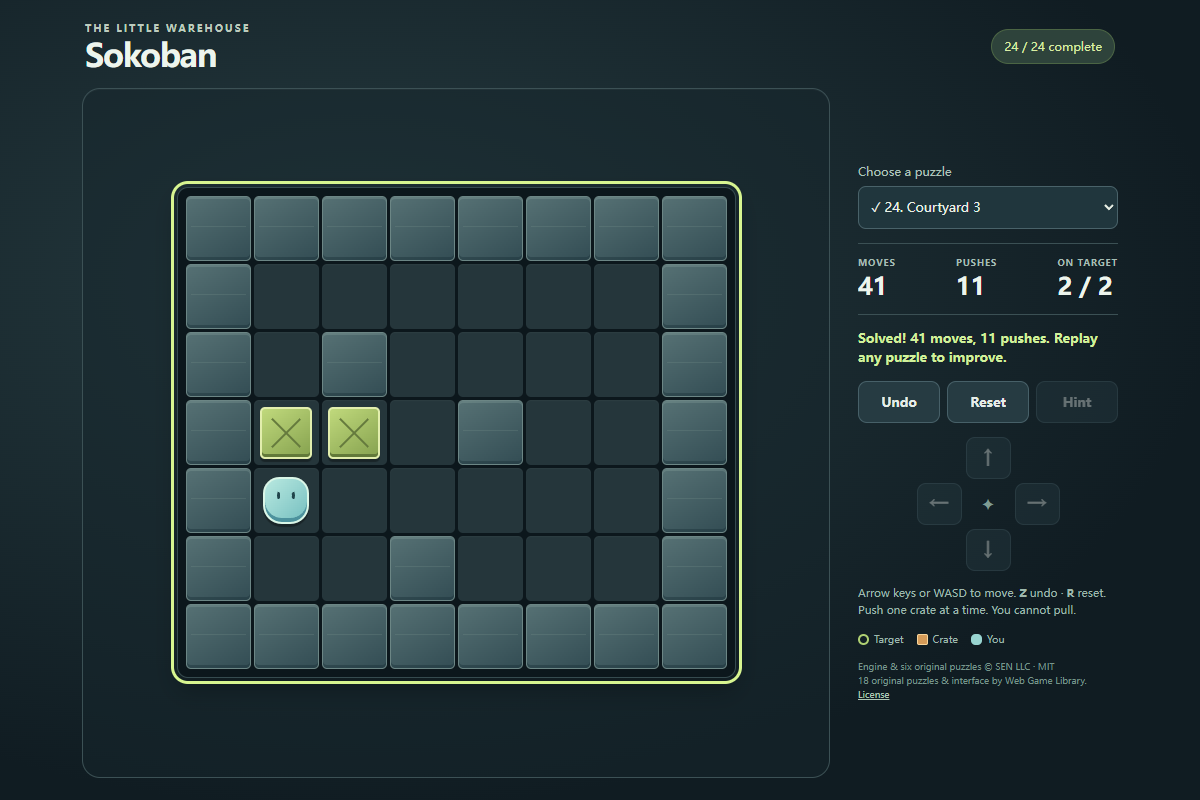
A crate turns green when it reaches a target. Fill every target to solve the puzzle; the status shows your move and push totals. The desktop capture shows Courtyard 3 completed in 41 moves and 11 pushes, with both crates on targets. Next puzzle appears after a solve unless you are already on the final puzzle. The menu lets you choose any of the 24 puzzles, so you can revisit a level or try another layout.
The game saves the selected puzzle and completed-puzzle records in this browser. A better record favors fewer pushes first, then fewer moves. It does not save a partly played board: reloading or restarting the Portal player begins the selected puzzle fresh while retaining completed records when browser storage is available. There is no account or cloud save, so clearing browser storage also clears those records.
Use the same push rules with touch controls
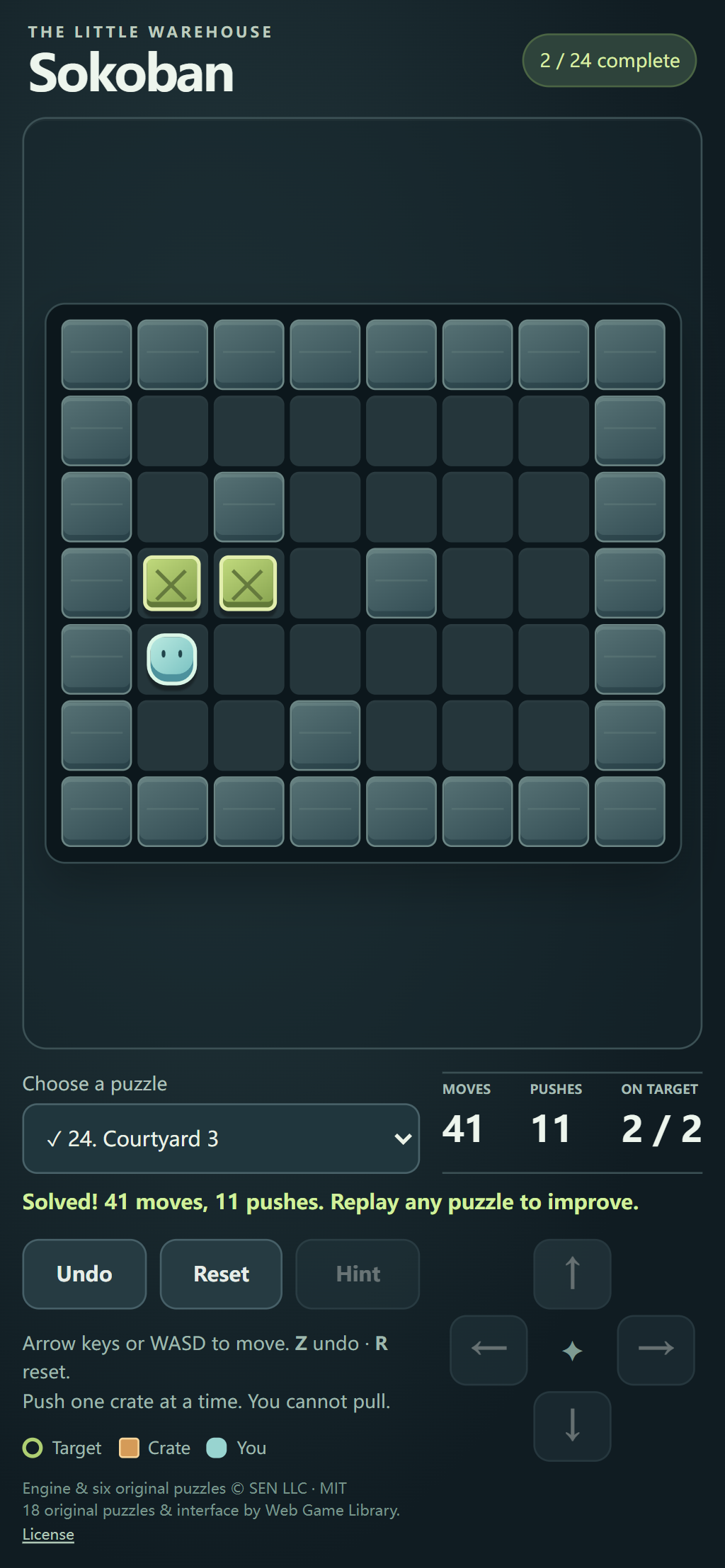
Tap the direction buttons once per step while learning a layout. The board and controls use the same rules as keyboard play, so there is no separate touch-only puzzle set. In portrait orientation, the controls sit below the board. The illustrated final position was reached through the direction buttons in Chrome touch emulation.
Give yourself time to see where the player has landed before tapping again. Undo remains available even after a solve, which lets you review the final push. Reset starts the selected puzzle over, while choosing another puzzle keeps your completed records and opens its initial board.
Quick tips
- Check the square behind a crate before pushing; being near a target is useful only if you can approach from the right side.
- Keep crates out of corners without targets, and use Undo as soon as a push closes an essential route.
- Moves count walking and pushing, while Pushes count only crate movement. Improve a finished puzzle by reducing pushes first.