Sokoban
Run complete
Sokoban result
Highlights
Gameplay started.
Use keyboard and mouse controls on desktop or touch on mobile.
Sokoban · Same-seed comparison
Compare both runs
View full run details
Reference run
Highlights
Your run
Highlights
This is a factual comparison with an anonymous, client-submitted snapshot. It is not a verified score or global ranking.
How to play
How to play Sokoban
Controls
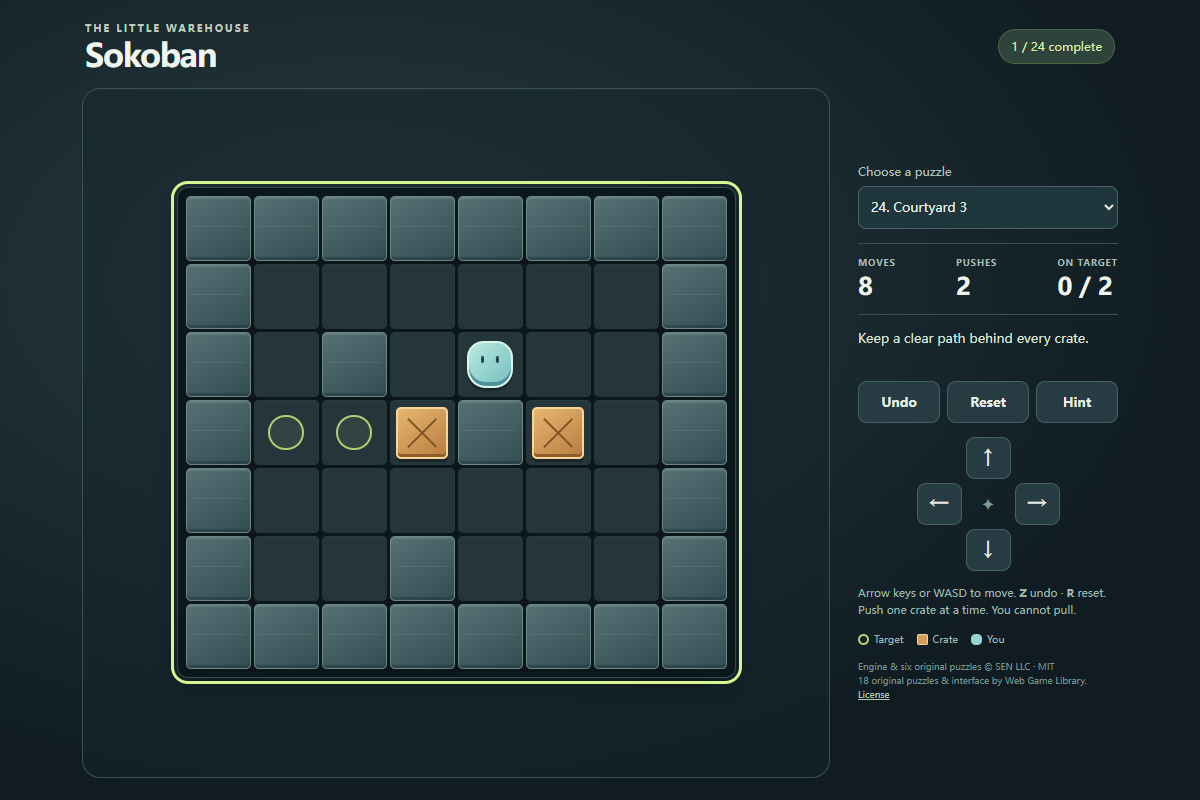
- Move with the arrow keys or WASD, or click or tap the on-screen direction buttons. Walk into a crate to push it if the next space is free.
- Use Undo or Z to take back one move, Reset or R to restart the current puzzle, and Hint for a suggested direction. Choose any puzzle from the menu; Next puzzle appears after a solve.
Goal
Place every crate on a green target. You can push one crate at a time into an empty space, but you cannot pull crates or push two together.
About
About Sokoban
A compact warehouse puzzle about positioning yourself behind crates and pushing them onto targets. The 24-puzzle set combines six original upstream levels with 18 original library levels.
Play better
Quick tips
First move
In First push, move right once to push the single crate onto the target, then choose Next puzzle.
Practical tip
Plan where you need to stand for the next push. A crate in a corner without a target cannot be recovered by walking around it.
Game info
Game details
- Genre
- puzzle
- Session
- short
- Play on
- desktop, mobile
- Controls
- keyboard, mouse, touch
QuestHub review
Checked before listing
Source, license, build, and device checks are recorded for this game.
- Source
- License
- Build
- Desktop
- Mobile
Verification & source detailsPlay-test notes, browser checks, source and license
Play-test note
Chrome 154 checks solved all 24 puzzles through keyboard input and covered Undo, Reset, Hint, and completed-puzzle records. The final puzzle was also solved with on-screen controls in Chrome touch emulation; physical mobile devices and other browser engines are not certified.
QuestHub checks
- Source recorded
- License reviewed
- Build verified
- Network reviewed
- Desktop tested
- Mobile tested
- Last checked
- 2026-10-03
- Browser
- Google Chrome
- Play on
- desktop, mobile
- Controls
- keyboard, mouse, touch
These checks describe the recorded build on the date above. Browser, device, or upstream changes can affect later behavior.
Source & license
- Original creator
- See upstream source
- Source repository
- https://github.com/sen-ltd/sokoban
- Pinned revision
fb38f850151476809b6c65d86789912a9b0c4776- Code license
- MIT
- Attribution required
- Yes
- Attribution
- Recorded in the source snapshot
- Asset review
- verified
- QuestHub changes
- Not listed in the current catalog
These technical details come from the pinned source snapshot used for this QuestHub build.
Keep playing
More like this
Games with similar genre, controls, session style, or mechanics.