Four in a Row
Run complete
Four in a Row result
Highlights
Gameplay started.
Use keyboard and mouse controls on desktop or touch on mobile.
Four in a Row · Same-seed comparison
Compare both runs
View full run details
Reference run
Highlights
Your run
Highlights
This is a factual comparison with an anonymous, client-submitted snapshot. It is not a verified score or global ranking.
How to play
How to play Four in a Row
Controls
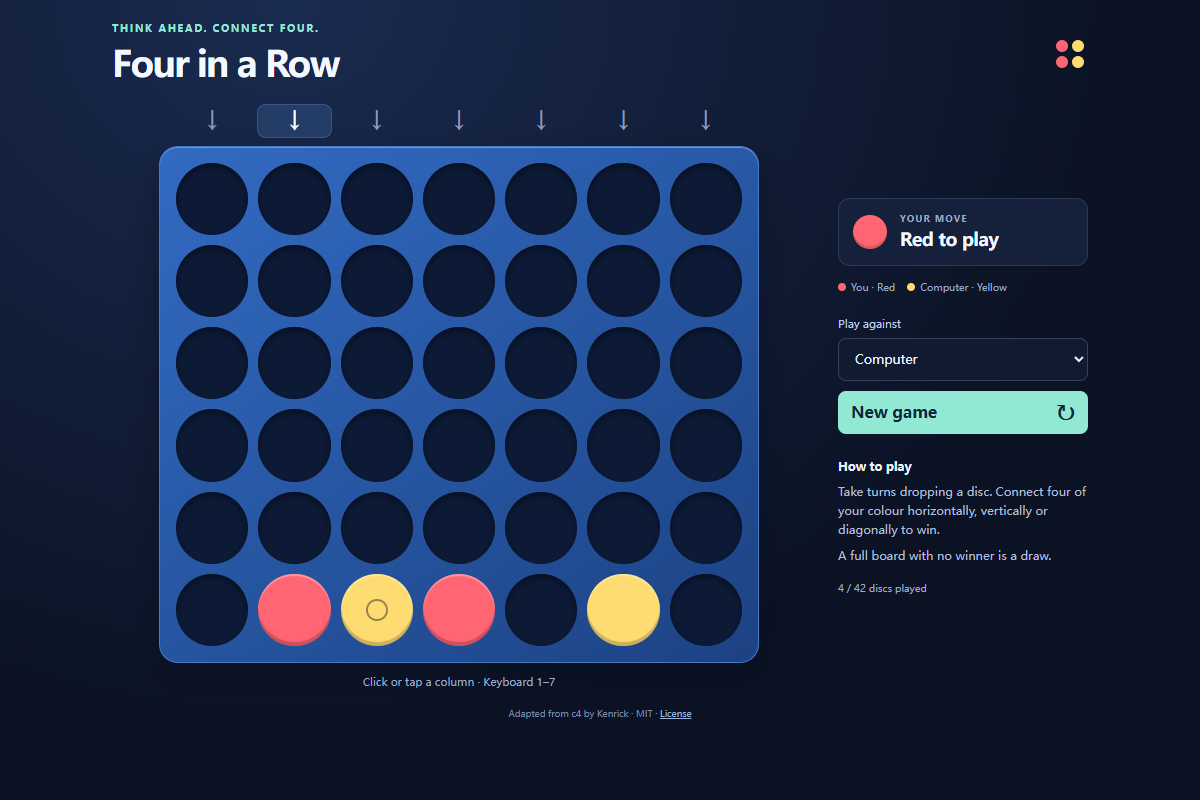
- Click or tap a column to drop a disc into its lowest empty space. On a keyboard, press 1–7 to choose the corresponding column.
- Choose Computer or Friend on this device from Play against. New game clears the board; changing the opponent also starts a fresh game.
Goal
Connect four discs of your color in a horizontal, vertical, or diagonal line before the other player. A full 42-space board without a winning line is a draw.
About
About Four in a Row
A turn-based disc-dropping board game with a computer opponent and a local two-player mode. Gravity makes the lowest empty space in each column the only available landing spot.
Play better
Quick tips
First move
Drop your first red disc near the center, then watch the yellow reply before choosing another column.
Practical tip
Check whether the other player can win on the next turn before building your own line. A diagonal needs supporting discs beneath its higher spaces.
Game info
Game details
- Genre
- card-board
- Session
- short
- Play on
- desktop, mobile
- Controls
- keyboard, mouse, touch
QuestHub review
Checked before listing
Source, license, build, and device checks are recorded for this game.
- Source
- License
- Build
- Desktop
- Mobile
Verification & source detailsPlay-test notes, browser checks, source and license
Play-test note
Chrome 154 desktop checks covered legal drops, computer replies, local turns, winning lines, draws, and a fresh board. Chrome touch emulation covered column taps; physical mobile devices and other browser engines are not certified.
QuestHub checks
- Source recorded
- License reviewed
- Build verified
- Network reviewed
- Desktop tested
- Mobile tested
- Last checked
- 2026-10-03
- Browser
- Google Chrome
- Play on
- desktop, mobile
- Controls
- keyboard, mouse, touch
These checks describe the recorded build on the date above. Browser, device, or upstream changes can affect later behavior.
Source & license
- Original creator
- See upstream source
- Source repository
- https://github.com/kenrick95/c4
- Pinned revision
d90d1995b0f1c3d0cd273fd1e03461a0d778a6f4- Code license
- MIT
- Attribution required
- Yes
- Attribution
- See upstream source
- Asset review
- verified
- QuestHub changes
- Not listed in the current catalog
These technical details come from the pinned source snapshot used for this QuestHub build.
Keep playing
More like this
Games with similar genre, controls, session style, or mechanics.