Cultivation Restart · 5 min read
Cultivation Restart Guide: Talents, Attributes, and Your First Life
Cultivation Restart is a short, replayable life simulation built around randomized seeds rather than a fixed campaign. Every new life begins with a talent choice and five starting attributes, then develops through cultivation events, resource changes, realm breakthroughs, authored event chains, decisions, achievements, and endings. A run can turn out very differently even when the opening setup looks similar, so the useful goal for a first attempt is to learn the flow rather than search for a guaranteed winning build. The reviewed QuestHub version runs entirely in the browser and keeps its profile, settings, achievements, and an unfinished active run in local storage.
Play Cultivation RestartStart a life and choose three talents
A new life begins by presenting a set of talents. Choose exactly three before continuing. Talents can influence starting conditions, later event eligibility, resources, attributes, or the shape of a particular route through the event system. Their value is contextual: a talent that looks powerful in isolation can be less useful when the rest of the run does not meet its conditions, while a modest talent can become important when it lines up with a later event chain.
For a first run, pick effects that are easy to understand instead of trying to predict the rarest ending. This makes it easier to connect later changes with the choices you made at the beginning. The game is designed around restarting, so an unusual or short life is still useful information for the next attempt.
- Choose Start New Life from the opening screen.
- Read the offered talent effects and select exactly three.
- Continue once the selection is valid and move to starting attributes.
Spend the full starting pool across five attributes
The next setup step distributes the available points across five core attributes. These values help determine which events and outcomes become reachable, but they do not act as a single score. Different checks care about different attributes, and later resources, flags, talents, and choices can matter just as much as the opening numbers. A specialized allocation may open one path while closing another, whereas a balanced start gives you broader but less extreme thresholds.
Use the visible controls until the available pool is fully assigned. Do not worry about finding one mathematically perfect distribution on your first life. The event system contains multiple routes and endings, so learning which attributes appear in the situations you encounter is more useful than copying a fixed pattern without context.
Advance year by year and pay attention to choices
Once the life starts, the main play view shows your current realm, attributes, resources, recent history, and the event in front of you. Use the advance action when no decision is required. When a choice appears, read the alternatives before continuing because authored choices can change resources, flags, relationships between later events, or which follow-up becomes eligible. Some important sequences span multiple years rather than resolving in one line.
Realm progression is only one part of the run. A higher realm can improve your prospects, but survival, resources, prior conditions, and event outcomes still matter. If a breakthrough or risky encounter goes badly, the result may be a setback rather than an immediate ending. Watching the recent history is the easiest way to understand why the current state changed and which earlier event may have prepared the next one.
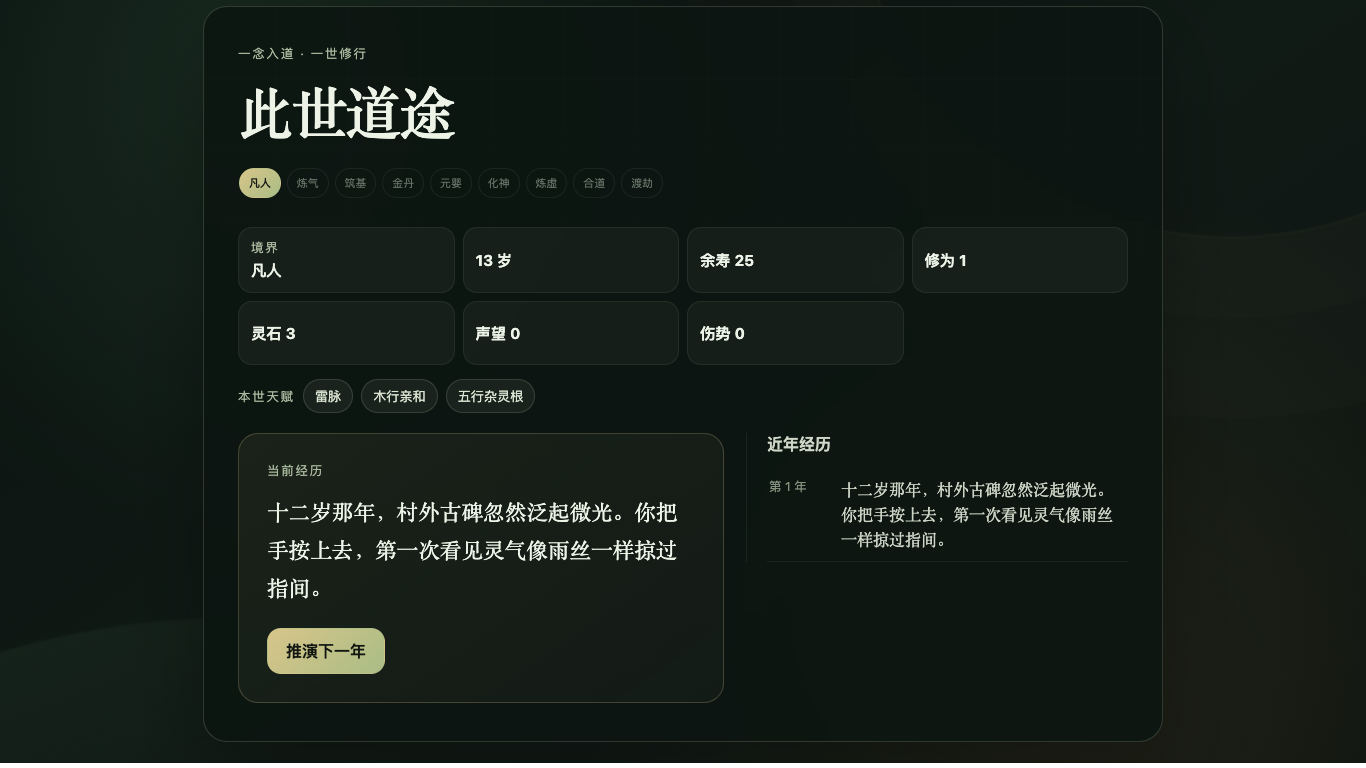
An unfinished life can resume from the same saved state
If you reload during an active life, the reviewed build can offer a continue action instead of forcing a restart. The save includes the seed and random-number-generator position needed to continue the same deterministic run state. That matters because a reload should not silently reroll the future merely because the browser page was refreshed.
This persistence is local to the browser. There is no QuestHub account or cloud-save service involved. Clearing the runtime site's local storage, using another browser profile, or moving to another device does not carry the save with you. Settings and achievement progress use the same browser-local approach.
Read the final summary, then restart with a new experiment
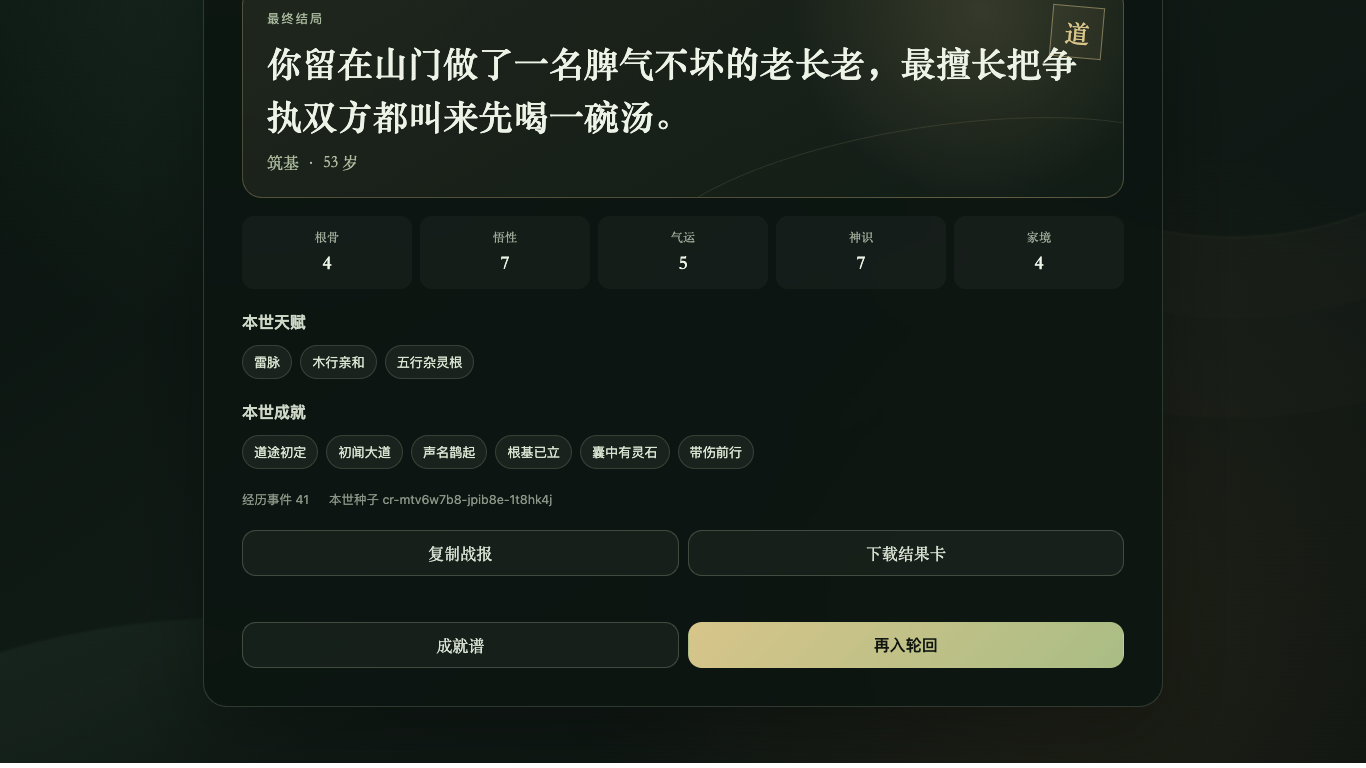
A completed life ends on a summary screen rather than simply stopping. Use it to review the ending, highest realm, final attributes, important talents, achievements, and the path the run took. The game includes many endings and achievements, so a run that does not reach the highest realm can still uncover a new result or reveal a useful event interaction.
The result card can also be saved as a PNG. QuestHub grants this game the narrow iframe download permission required for that user-triggered file while keeping the distribution-wide sandbox unchanged for other games. After reviewing the summary, restart with one deliberate change: try a different talent combination, shift the initial attributes, or make a different decision in an event chain you recognized. Comparing one change at a time makes the random system easier to learn.
Quick tips
- Pick understandable talents on early runs so you can see what actually changes later.
- Do not treat one attribute as a universal power score; event conditions can depend on different combinations of state.
- Read decision events before clicking because some choices feed explicit follow-up chains.
- Use the history and final summary to compare runs instead of judging success only by the highest realm.
- Remember that active-run recovery, settings, and achievements are browser-local rather than cloud-synced.