Block Puzzle · 3 min read
Block Puzzle: Place Three Shapes, Clear Lines, and Keep Space
Block Puzzle gives you a 10×10 board and three shapes at a time. Place the shapes anywhere they fit, fill entire rows or columns to clear them, and keep enough open space for the next tray. The board does not pull blocks downward, and there is no countdown forcing a quick decision. You decide the placement order, but the shapes keep their displayed orientation. A good move considers all three pieces rather than only the one you are about to use.
Play Block PuzzleChoose a shape and check its top-left anchor
Drag a shape from the tray onto an open part of the board, then release when its preview fits. You can also click or tap a tray piece and then click or tap a board cell. With this two-step method, the cell you choose anchors the top-left corner of the shape's bounding box. All occupied squares of the shape must stay inside the board and avoid blocks already placed there.
The preview shows the footprint before a placement is accepted. If the footprint overlaps a block or crosses an edge, try another cell or another piece; an invalid attempt does not spend the piece. For keyboard play, press 1, 2, or 3 to select a tray slot, move the preview with the arrow keys, and press Enter to place it. Escape cancels the selection.
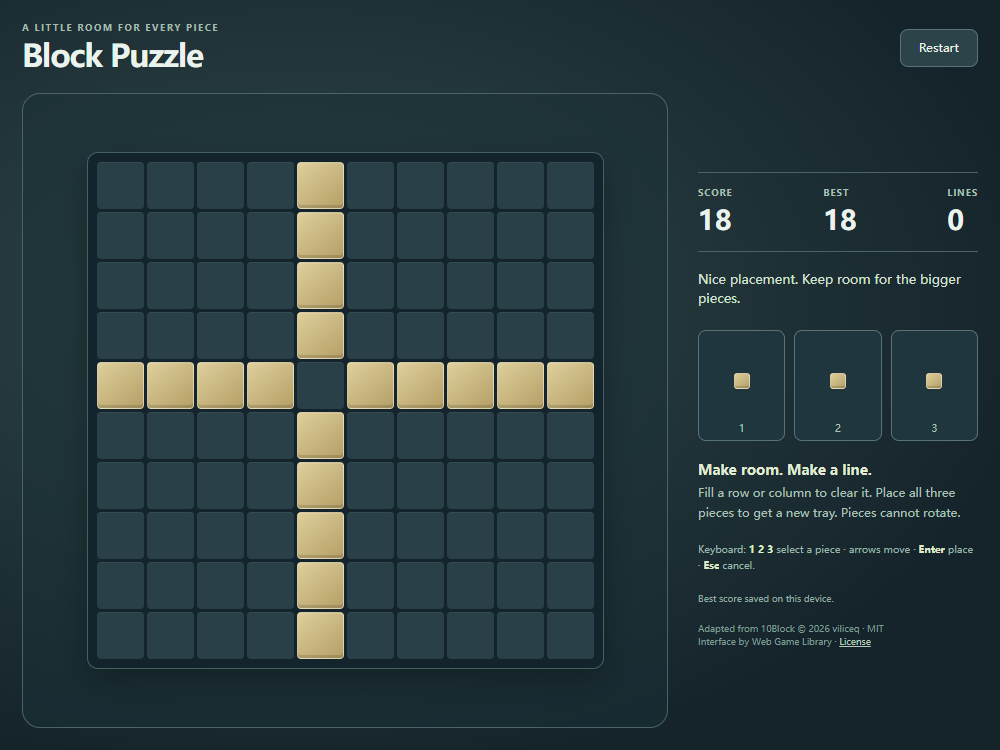
The pictured teaching position was built with legal single-square placements. Row five and column five each need the same missing square. Selecting one single-block piece and placing it at their intersection completes both lines in one move. Count rows from the top and columns from the left.
- Select one of the single-square pieces in the tray.
- Choose row five, column five: the gap where the two almost-complete lines cross.
- Watch both the row and column clear after that one placement.
Plan an order for the whole tray
The three tray pieces can be placed in any order. A used slot stays empty until you place the other two pieces, then the game deals a new set of three. There is no rotation control, so inspect the exact orientation of the long bars, squares, and bent shapes before committing to a space.
Start by identifying which piece has the fewest useful positions. Large squares and long bars usually need a continuous clear area; small pieces can fill leftover gaps later. Placing a convenient small shape first may divide an open region that the larger piece needs. Because there is no timer, you can compare several orders before putting the first shape down.
Fill complete rows and columns to make room
A row clears when all ten of its cells are occupied, and a column clears under the same rule. The game checks both directions after every legal placement, so one shape can finish several lines at once. The other blocks keep their positions after the clear: there is no gravity to close the new gaps.
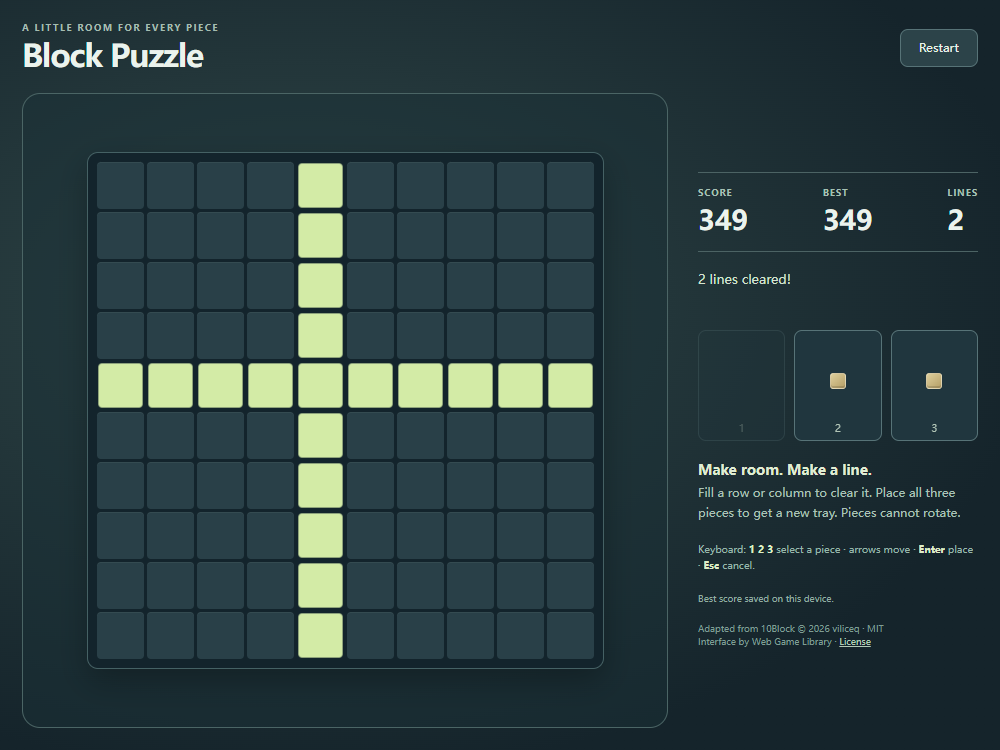
Placing a shape earns points for its blocks. Completed lines add a bonus, and consecutive placements that clear lines build a streak. A placement without a clear breaks that streak. Clearing the entire board adds another bonus. In this example, the score becomes 349: 19 placed blocks, a 30-point two-line bonus, and 300 for leaving the board completely empty. The green flash marks the two lines that were removed.
Recognize No pieces fit and start a fresh board
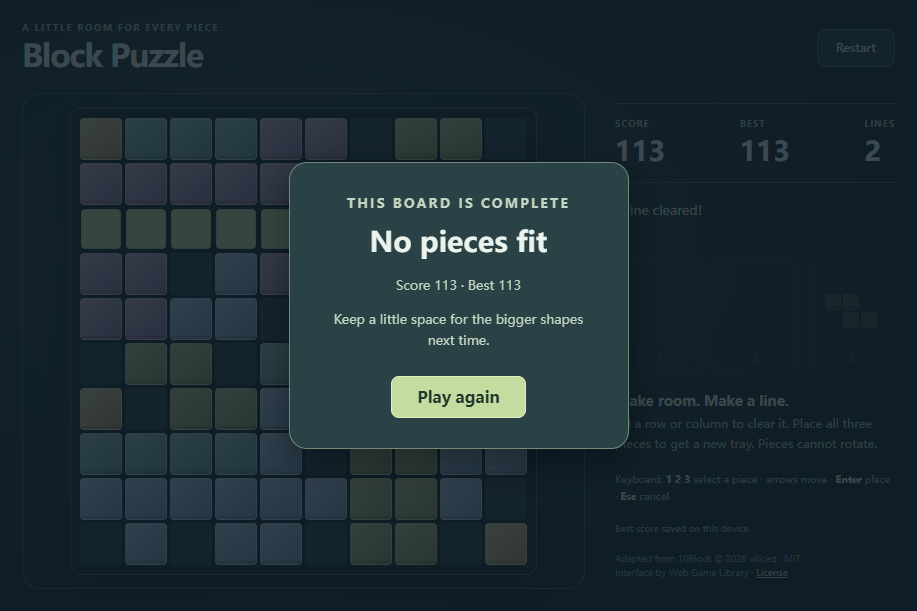
The run ends when none of the pieces left in the current tray can fit anywhere on the board. Empty cells can still remain: several isolated holes are not enough to fit a larger shape. Check both the current gaps and the shapes you still need to place before assuming a crowded board is safe.
The No pieces fit dialog shows your Score and Best and offers Play again. Restart also begins a new board with a new tray and resets the current score and cleared-line count. Best is stored in this browser when storage is available. The partly played board is not saved, so reopening the game starts a fresh run while preserving the best score.
Take your time and protect connected space
This placement puzzle rewards space planning. CubeStack 3D uses falling pieces in a three-dimensional well, while Block Puzzle lets you choose a position on a flat board without a falling timer. Here, shapes remain fixed after placement, and only completed rows or columns remove them.
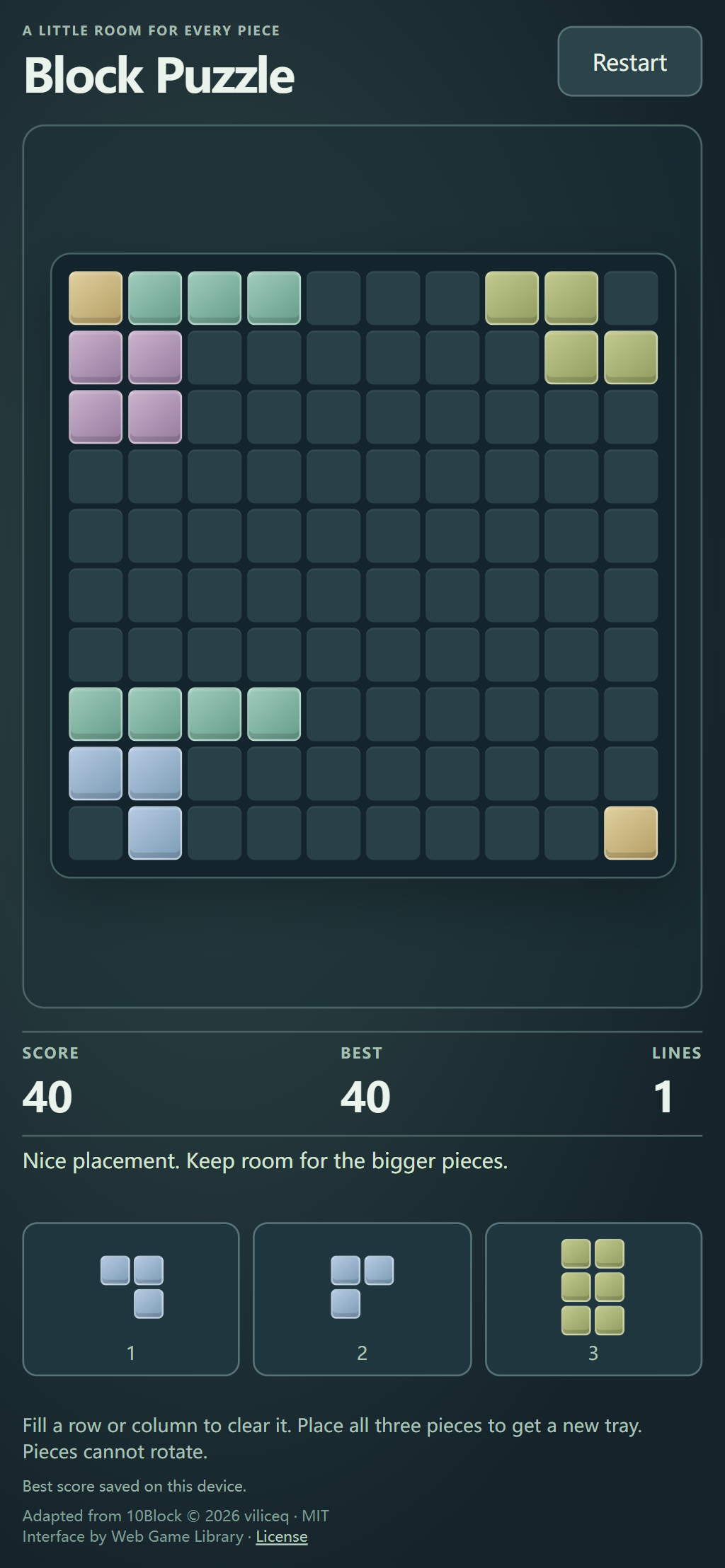
Keep at least one connected open area rather than scattering single empty cells across the board. When a tray contains a large shape, decide where it will go before filling the nearby cells. Scan for almost-complete rows and columns, but leave an escape route for the two other pieces you still have to use.
Quick tips
- Choose a place for the most awkward piece first, even if you ultimately place another shape before it.
- Remember that the selected cell anchors the shape's top-left bounding box; check the full preview before placing.
- Clears remove complete lines without moving the remaining blocks, so plan around the exact gaps they leave.