Block Puzzle
Run complete
Block Puzzle result
Highlights
Gameplay started.
Use keyboard and mouse controls on desktop or touch on mobile.
Block Puzzle · Same-seed comparison
Compare both runs
View full run details
Reference run
Highlights
Your run
Highlights
This is a factual comparison with an anonymous, client-submitted snapshot. It is not a verified score or global ranking.
How to play
How to play Block Puzzle
Controls
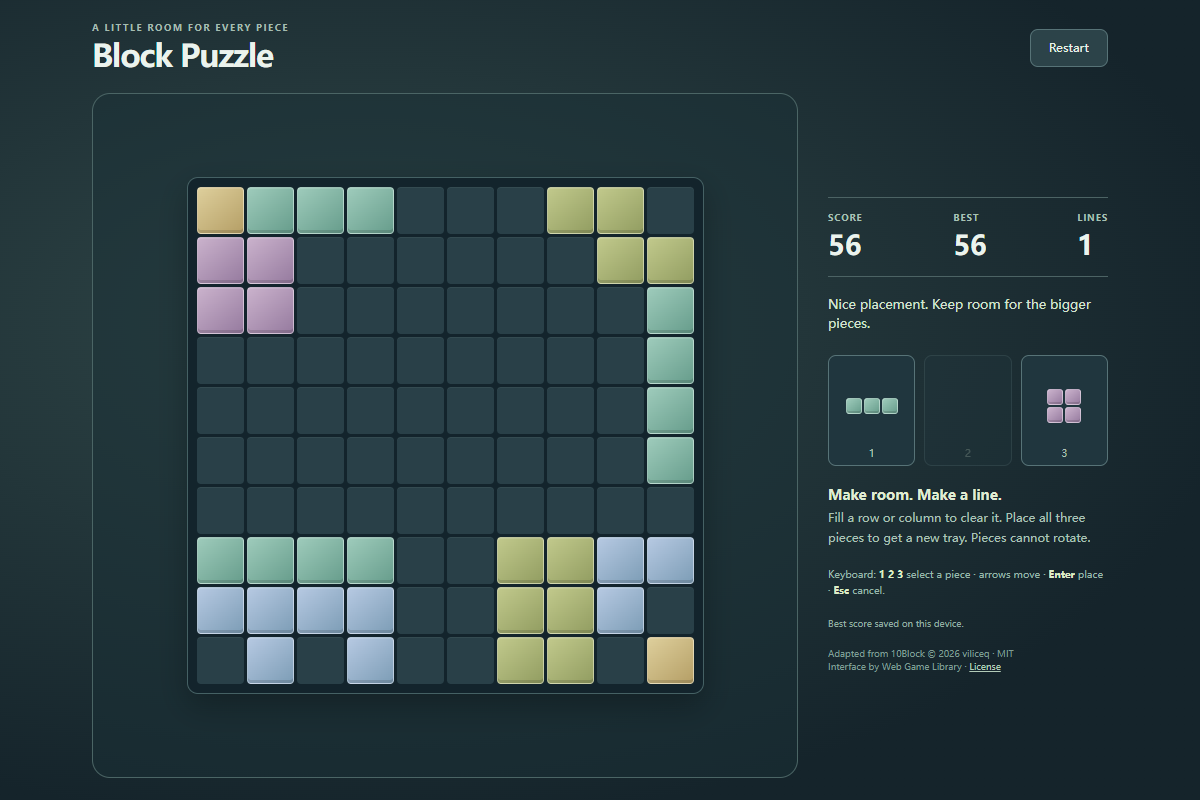
- Drag a piece from the tray onto the board, or select a piece and click or tap the cell for its top-left corner. Shapes cannot rotate.
- Press 1, 2, or 3 to select a tray piece, use the arrow keys to position its preview, and press Enter to place it. Escape cancels selection; Restart begins a fresh board.
Goal
Score by placing blocks and clearing full rows or columns. Use all three shapes to refill the tray; the run ends when none of the remaining pieces fits anywhere.
About
About Block Puzzle
An untimed block-placement puzzle on a 10×10 grid. Choose the order of three supplied shapes, fit them into open spaces, and clear complete lines to keep the board usable.
Play better
Quick tips
First move
Inspect all three shapes, then place a larger piece along an edge while leaving a connected open area for the other two.
Practical tip
Plan the whole tray before placing its first piece. A small isolated gap is less useful than one open area that can accept several shapes.
Game info
Game details
- Genre
- puzzle
- Session
- short
- Play on
- desktop, mobile
- Controls
- keyboard, mouse, touch
QuestHub review
Checked before listing
Source, license, build, and device checks are recorded for this game.
- Source
- License
- Build
- Desktop
- Mobile
Verification & source detailsPlay-test notes, browser checks, source and license
Play-test note
Chrome 154 checks covered drag, click, keyboard placement, simultaneous row-and-column clearing, a natural game over, restart, best-score storage, and leaving the game with Tab. Emulated touch checks covered dragging, tapping, canceling a drag, and viewport rotation; physical mobile devices and other browser engines are not certified.
QuestHub checks
- Source recorded
- License reviewed
- Build verified
- Network reviewed
- Desktop tested
- Mobile tested
- Last checked
- 2026-10-04
- Browser
- Google Chrome
- Play on
- desktop, mobile
- Controls
- keyboard, mouse, touch
These checks describe the recorded build on the date above. Browser, device, or upstream changes can affect later behavior.
Source & license
- Original creator
- See upstream source
- Source repository
- https://github.com/viliceq/10block
- Pinned revision
93dfa7eaf785043d038a4e5f20ba358d90f6edd9- Code license
- MIT
- Attribution required
- Yes
- Attribution
- Recorded in the source snapshot
- Asset review
- verified
- QuestHub changes
- Not listed in the current catalog
These technical details come from the pinned source snapshot used for this QuestHub build.
Keep playing
More like this
Games with similar genre, controls, session style, or mechanics.