CubeStack 3D
Run complete
CubeStack 3D result
Highlights
Gameplay started.
Use the keyboard controls shown below.
CubeStack 3D · Same-seed comparison
Compare both runs
View full run details
Reference run
Highlights
Your run
Highlights
This is a factual comparison with an anonymous, client-submitted snapshot. It is not a verified score or global ranking.
How to play
How to play CubeStack 3D
Controls
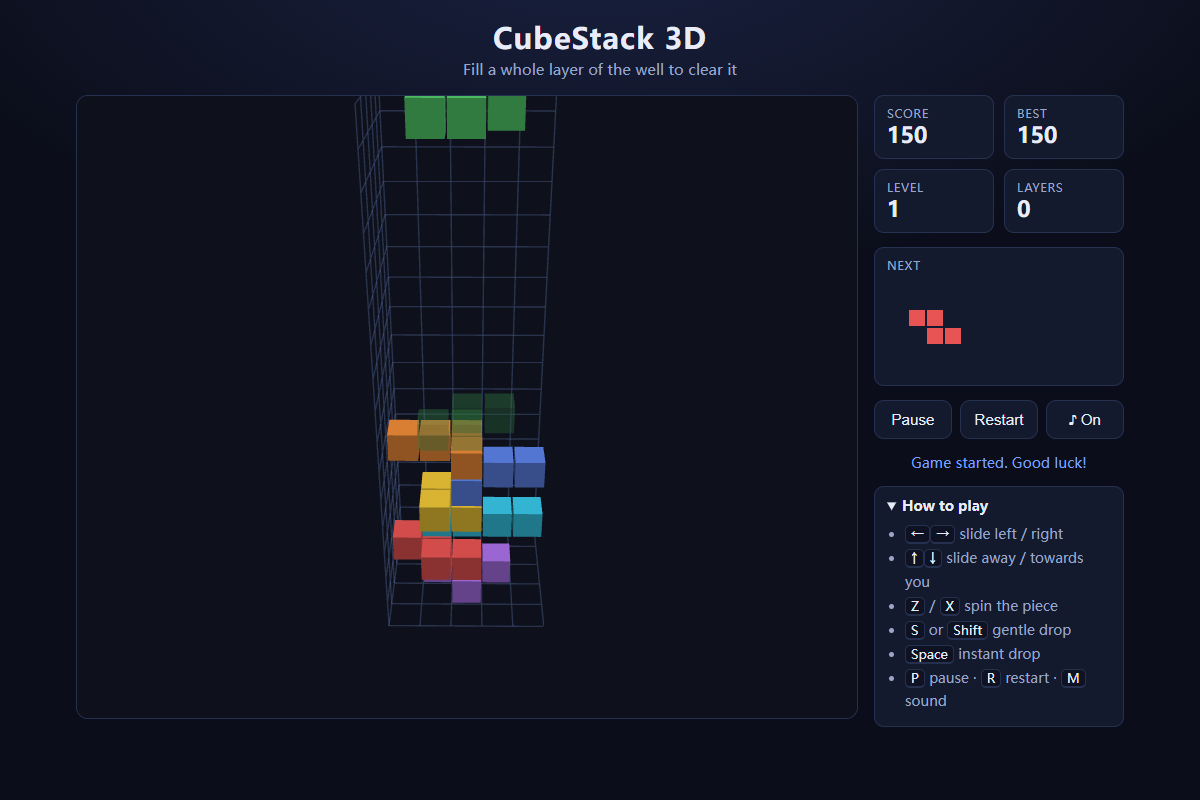
- Use the arrow keys to slide the falling piece across the well. Press Z or X to rotate it around the vertical axis.
- Hold S or Shift to soft drop, press Space to hard drop, P to pause, R to restart, and M to toggle sound.
Goal
Build compact layers across the full 5×5 floor, clear them for points, and keep the stack low enough for each new piece to enter the well.
About
About CubeStack 3D
An original 3D block-stacking puzzle where flat pieces descend into a deep square well and every completed 5×5 layer disappears.
Play better
Quick tips
First move
Use the ghost landing guide to place the first piece near an edge or corner without leaving a narrow cavity underneath it.
Practical tip
Think in complete horizontal layers rather than tall columns: spread pieces across the 5×5 footprint and preserve flat landing space for awkward shapes.
Game info
Game details
- Genre
- puzzle
- Session
- short
- Play on
- desktop
- Controls
- keyboard
QuestHub review
Checked before listing
Source, license, build, and device checks are recorded for this game.
- Source
- License
- Build
- Desktop
- Mobile
Verification & source detailsPlay-test notes, browser checks, source and license
Play-test note
Chrome production smoke loaded the deployed QuestHub Runtime, completed the Bridge v2 ready handshake, accepted a real Space hard drop for a score of 30, emitted first-input, and made no third-party requests. Physical-GPU and non-Chrome browsers remain unverified.
QuestHub checks
- Source recorded
- License reviewed
- Build verified
- Network reviewed
- Desktop tested
- Mobile tested
- Last checked
- 2026-09-19
- Browser
- Google Chrome
- Play on
- desktop
- Controls
- keyboard
These checks describe the recorded build on the date above. Browser, device, or upstream changes can affect later behavior.
Source & license
- Original creator
- See upstream source
- Source repository
- https://github.com/oyjq0000/web-game-library
- Pinned revision
3c11793d50a60522976f6b2c895406a3ff4475f5- Code license
- LicenseRef-Owner-Authorized
- Attribution required
- No
- Attribution
- Recorded in the source snapshot
- Asset review
- verified
- QuestHub changes
- Not listed in the current catalog
These technical details come from the pinned source snapshot used for this QuestHub build.
Keep playing
More like this
Games with similar genre, controls, session style, or mechanics.