CubeStack 3D · 5 min read
CubeStack 3D Guide: Controls, Layer Clears, and Survival
CubeStack 3D takes the familiar idea of falling block pieces and moves the board into a three-dimensional well. Pieces descend into a 5×5 floor that extends 16 cells upward. Your aim is not to complete a line on one side of the board; you need to fill every cell of a horizontal 5×5 layer before that layer clears. The game uses a keyboard, shows a ghost landing position, previews the next piece, and speeds up as you progress. A run ends when a new piece can no longer enter the well, so the most important beginner habit is to build broad, usable surfaces instead of narrow towers.
Play CubeStack 3DRead the 3D well before you drop
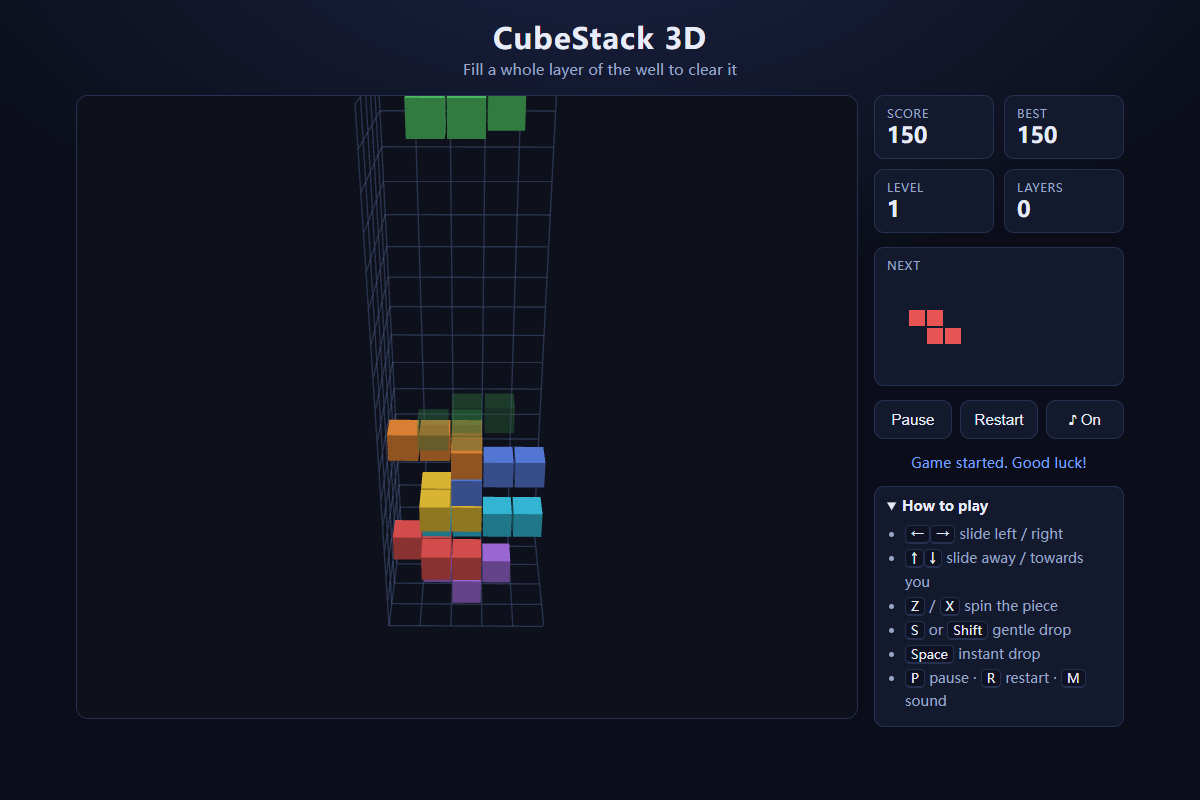
The playfield is a deep square well rather than a flat rectangle. Look at the floor as a 5×5 grid and treat height as the third dimension. The current piece enters near the top, while the translucent ghost shows where it would land if you dropped it immediately. The side panel gives you the score, level, cleared-layer count, and next-piece preview, so you can plan the current placement without losing track of what is coming next.
Perspective can make a high block look closer to an empty floor cell than it really is. Before committing, compare the ghost with the grid lines at the bottom and with the tops of nearby blocks. If the ghost stops high above an apparently open square, something underneath is supporting it. Beginners usually lose space by creating hidden cavities below overhangs, so use the ghost as a collision check rather than only as a speed aid.
Move, rotate, and choose the landing cell
Use the arrow keys to slide the falling piece across the well. Z and X rotate it around the vertical axis, which changes how the flat shape occupies the 5×5 floor without tipping it onto its side. Hold S or Shift when you want a controlled soft drop. Space performs a hard drop and locks the piece quickly, so use it only after the ghost is where you want it. P pauses the run, R restarts, and M toggles sound.
Because the pieces stay flat, rotation is mainly about fitting their footprint into the layer you are building. Try both rotation directions while the piece is still high enough to move freely. Near the top of an uneven stack, a legal rotation may disappear once the piece falls beside a raised column. Make the orientation decision early, then use horizontal movement to fine-tune the landing position.
Build complete layers, not tall columns
A layer clears only when all 25 cells across one horizontal 5×5 slice are occupied. That changes the basic planning rule: a tall tower in one corner does not help unless the rest of that same height can eventually be filled. Spread pieces across the floor and try to keep the top surface reasonably even. Broad low structures give later pieces more legal landing positions and make the ghost easier to read.
When a layer clears, everything above it collapses downward. That can repair part of a messy stack, but it can also preserve cavities that were already sealed inside the structure. Before filling the last few cells of a layer, check whether your placement creates a roof over empty cells beneath it. A complete surface with hidden holes is usually worse than a slightly uneven surface that still has open routes into every empty space.
Use the next piece to plan two moves ahead
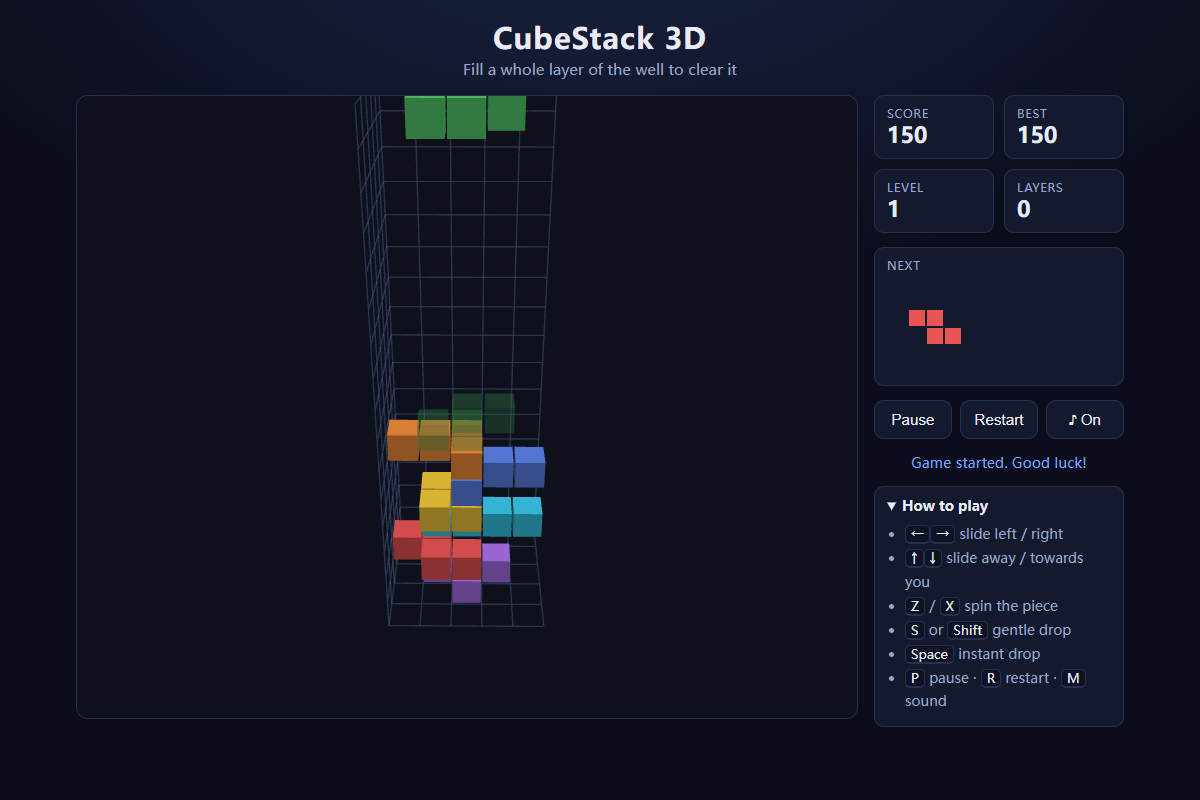
The next-piece preview lets you avoid solving only the current shape. If your present piece can fit in several places, prefer the placement that leaves a clean landing zone for the previewed piece. Long or awkward footprints need more uninterrupted floor space than compact shapes, so reserving one broad channel can be more valuable than filling a convenient gap immediately.
CubeStack 3D deals pieces from a shuffled seven-piece bag. That means the short-term sequence has variety without guaranteeing that the exact shape you want will arrive next. Do not build a cavity that can be repaired by only one orientation of one piece. Flexible gaps that accept several footprints are safer, especially once the level rises and there is less time to inspect the stack.
Recover when the stack gets high
When the stack approaches the entry area, stop chasing perfect-looking placements and focus on restoring usable horizontal space. Look for a nearly complete layer that can be finished with one or two pieces. Clearing even a single layer lowers everything above it and buys room for the next spawn. Hard drop is useful once you have chosen the rescue placement, but rushing the decision itself is dangerous because a misplaced block near the top can end the run quickly.
If there is no immediate clear, place pieces where they add the least height while keeping cavities open from above. Avoid stacking directly on the highest column unless that placement completes a layer or creates an obvious follow-up. The run ends when a new piece cannot spawn, so survival is ultimately about maintaining headroom. A low, imperfect but accessible stack is much easier to recover than a tall structure full of sealed holes.
Quick tips
- Use the ghost landing position as a depth check before every hard drop.
- Keep the stack broad and low; complete 5×5 horizontal layers are the only structures that clear.
- Rotate early while the falling piece still has room, then slide it into its final position.
- Check the next-piece preview before filling a gap that could remove your only wide landing area.
- When the stack is high, prioritize a reachable layer clear over a prettier placement.