Pool
Run complete
Pool result
Highlights
Gameplay started.
Use mouse controls on desktop or touch on mobile.
Pool · Same-seed comparison
Compare both runs
View full run details
Reference run
Highlights
Your run
Highlights
This is a factual comparison with an anonymous, client-submitted snapshot. It is not a verified score or global ranking.
How to play
How to play Pool
Controls
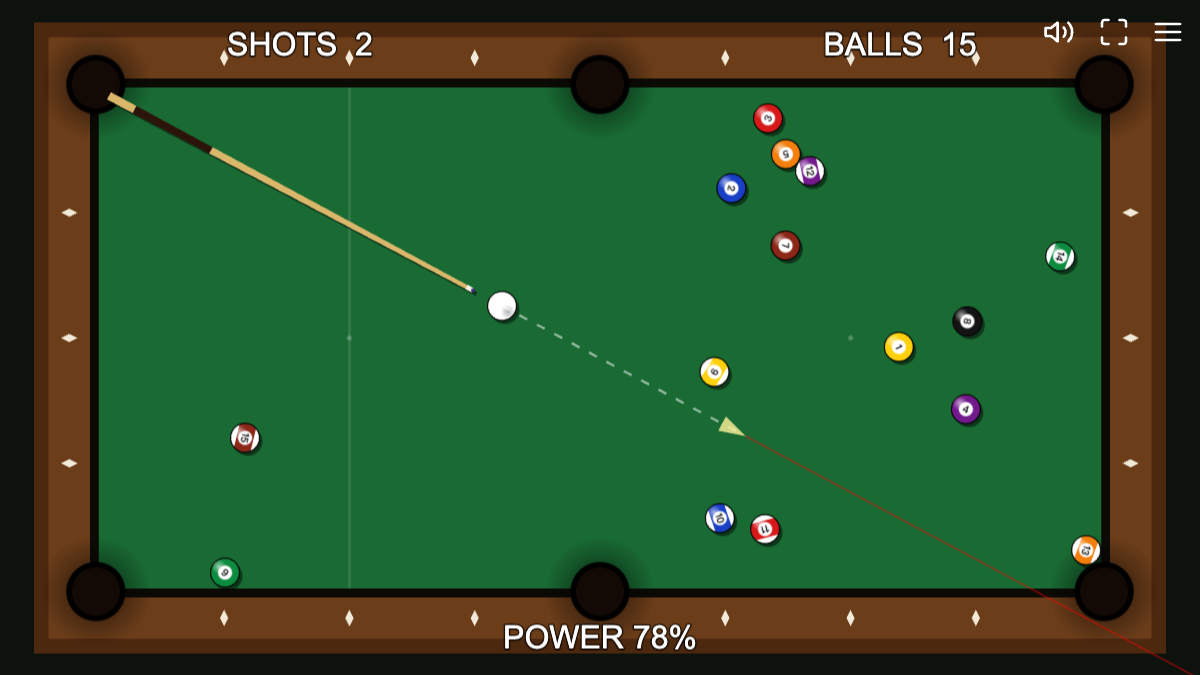
- On desktop, move the pointer around the cue ball to set direction and power, then click to commit the shot. The on-screen power readout shows how hard the hit will be.
- On touch screens, drag behind the cue ball to aim and build power, then release to shoot. The table rotates in portrait view so the long side uses the available screen height.
Goal
Pocket all 15 object balls in as few shots as you can. A scratch gives you ball-in-hand so you can place the cue ball back on a valid open part of the table.
About
About Pool
A compact top-down pool game built around clear-table shot counting, readable aim feedback, and responsive mouse or touch controls.
Play better
Quick tips
First move
Use the opening break to spread the rack, then wait for every ball to stop before choosing a simple follow-up angle.
Practical tip
Prefer a controlled line into an open pocket over maximum power; fewer scratches usually leave easier positions for the next shot.
Game info
Game details
- Genre
- sports-racing
- Session
- short
- Play on
- desktop, mobile
- Controls
- mouse, touch
QuestHub review
Checked before listing
Source, license, build, and device checks are recorded for this game.
- Source
- License
- Build
- Desktop
- Mobile
Verification & source detailsPlay-test notes, browser checks, source and license
Play-test note
Chrome 153 checks covered desktop mouse shots, a natural scratch and ball-in-hand placement, fullscreen, local best-score persistence, Bridge v2, and touch-emulated portrait/landscape play. Other browsers and physical mobile hardware remain unverified.
QuestHub checks
- Source recorded
- License reviewed
- Build verified
- Network reviewed
- Desktop tested
- Mobile tested
- Last checked
- 2026-09-15
- Browser
- Google Chrome
- Play on
- desktop, mobile
- Controls
- mouse, touch
These checks describe the recorded build on the date above. Browser, device, or upstream changes can affect later behavior.
Source & license
- Original creator
- See upstream source
- Source repository
- https://github.com/KilledByAPixel/LittleJSArcade
- Pinned revision
0cbf5fe8713d02b453c8f210c686c633f55f149d- Code license
- MIT AND Zlib
- Attribution required
- Yes
- Attribution
- See upstream source
- Asset review
- verified
- QuestHub changes
- Not listed in the current catalog
These technical details come from the pinned source snapshot used for this QuestHub build.
Keep playing
More like this
Games with similar genre, controls, session style, or mechanics.