Life Restart · 5 min read
Life Restart Guide: Talents, Attributes, and Your First Run
Life Restart is a replayable text-based simulation where each run begins with a new set of talents and starting attributes, then unfolds through randomized life events. QuestHub’s reviewed build defaults to English across the full play flow, with Chinese available from the in-game language switcher. The basic loop is simple: restart, draw talents, choose three, allocate every available point, then advance year by year until the run ends. The random event pool includes mature themes, so this is not presented as a children’s game.
Play Life RestartBegin a new run from the simple start screen
The opening screen has one large primary action in the middle. Activating it starts a new life immediately. On early profiles, the game moves directly to the talent-draw step; after enough completed runs, additional mode choices can become available. You do not need those later options to understand the core game, so a first run can stay on the standard path.
Nothing important is hidden behind timing or reflexes here. The start screen is just the entrance to a sequence of decisions. If you are learning the game, treat the first few lives as experiments rather than trying to force a perfect result. The event system is deliberately unpredictable, and even strong starting attributes can lead to a short or unusual run.
Draw ten talents, then choose exactly three
The next screen presents the ten-talent draw. Run it once to reveal a random set of candidates. Talents can change starting attributes, add conditional advantages, alter later events, or impose a drawback. Their grades and descriptions provide clues about impact, but a higher-looking grade does not automatically make a combination better because talents can interact with the same attributes in different ways.
Select exactly three talents. The continue action only becomes available when the selection satisfies the game’s rules, so if a choice conflicts with another talent the interface will keep you on this screen until the set is valid. Because the draw changes from run to run, there is no universal three-talent recipe. For a first attempt, prefer a mix that gives you understandable attribute changes instead of chasing an obscure conditional effect.
- Activate the large ten-draw action to reveal the current talent pool.
- Read the short descriptions and select three talents whose effects you can follow.
- Continue only after the interface confirms that the three-talent selection is valid.
Spend every starting attribute point before continuing
After the talent choice, the allocation screen lets you distribute points across Appearance, Intelligence, Health, and Wealth. A separate happiness value is shown during the life itself. The normal base pool is twenty points, although selected talents can change the amount available or modify final values. The important rule is visible in the remaining-points counter: it must reach zero before the new life can begin.
Use the plus and minus controls when you want a deliberate build. If you only want to see how the event system works, the random-allocation action is a useful shortcut because it creates a valid distribution without making you tune four numbers manually. Do not assume that maximizing one attribute guarantees a better ending. Many events check combinations, thresholds, talents, or previous events, so balanced and specialized runs can both produce useful outcomes.
- Check whether your talents changed the number of points available.
- Distribute points manually or use the random-allocation action for a quick valid setup.
- Confirm that the remaining-points value is zero, then start the new life.
Advance manually before turning on Auto
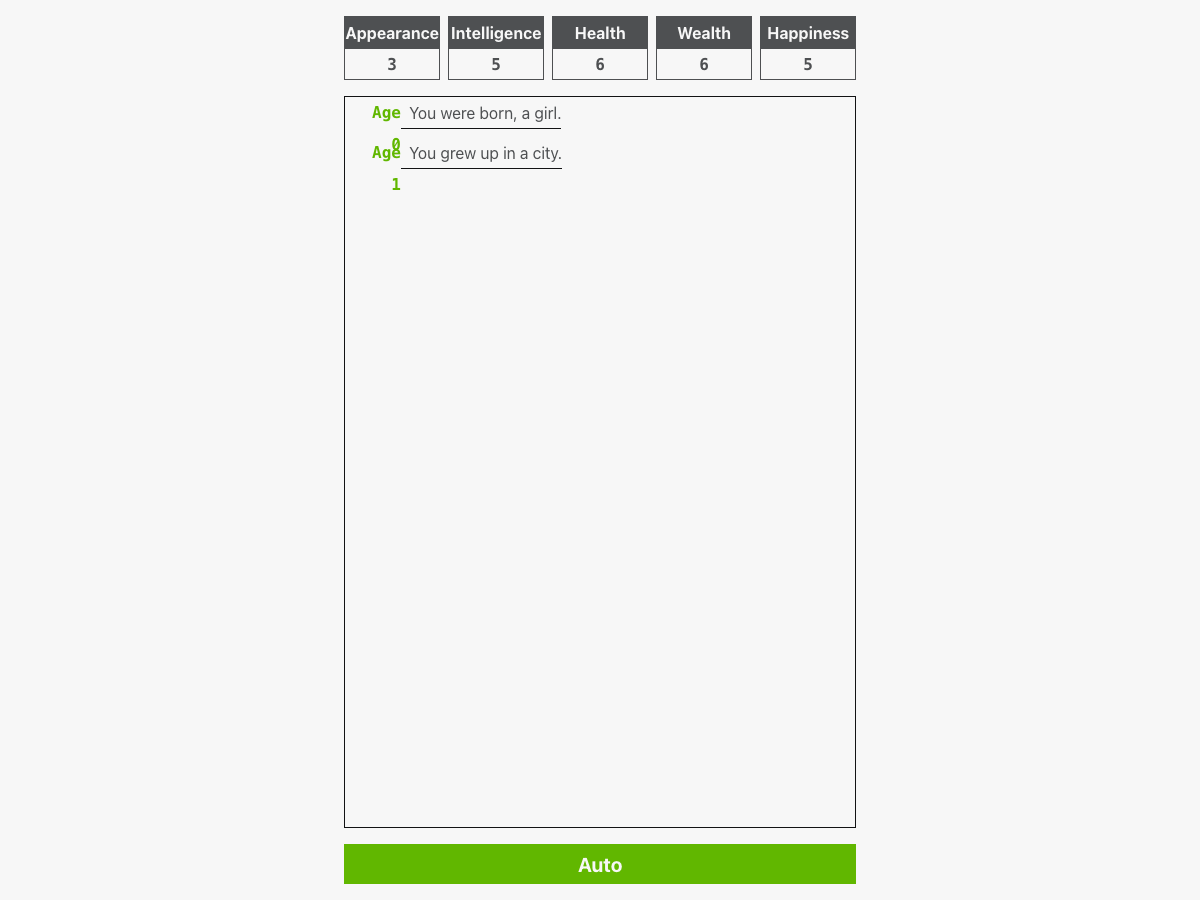
Once the life begins, the top row shows the current attributes and the central log records talents and events by age. Click or tap the event log to advance to the next age. Starting manually is useful because you can see which event changed a value and how earlier choices are affecting the run. Attribute colors and arrows make changes easy to spot while the English event text explains what changed.
The Auto control advances the simulation repeatedly for you. It is convenient after you understand the screen, but using it immediately can make several years pass before you notice why an attribute changed. A run eventually reaches its ending condition and then offers a summary. The point of the game is not only survival time: repeated lives reveal different event chains, achievements, talent interactions, and unusual trajectories.
Know what persists and expect mature random events
QuestHub’s reviewed build keeps profile progress, theme choice, and version information in local browser storage. There is no QuestHub account or cloud-save service involved. Reloading in the same browser can preserve the profile, while clearing site storage or moving to another browser profile removes that local record. The external Bilibili cloud-save branch found upstream is not part of the QuestHub runtime.
The simulation is not family-friendly. Its wider randomized event pool can include death, crime, disease, social conflict, pregnancy, gambling, and other adult life themes. QuestHub neutralized a limited set of higher-risk display strings during review without changing event IDs, conditions, probabilities, branches, or stat effects, but the game remains a mature text simulation. If you prefer light or child-safe material, choose a different game from the catalog.
Quick tips
- Use the first few runs to learn the sequence of screens rather than trying to optimize every random outcome.
- Choose three talents with effects you can understand, then watch which attributes actually change during the run.
- Make the remaining-points counter reach zero before starting; random allocation is the fastest valid setup for experimentation.
- Advance a few ages manually before enabling Auto so important changes do not fly past unnoticed.
- Remember that progress is browser-local: clearing QuestHub runtime storage removes the saved profile.