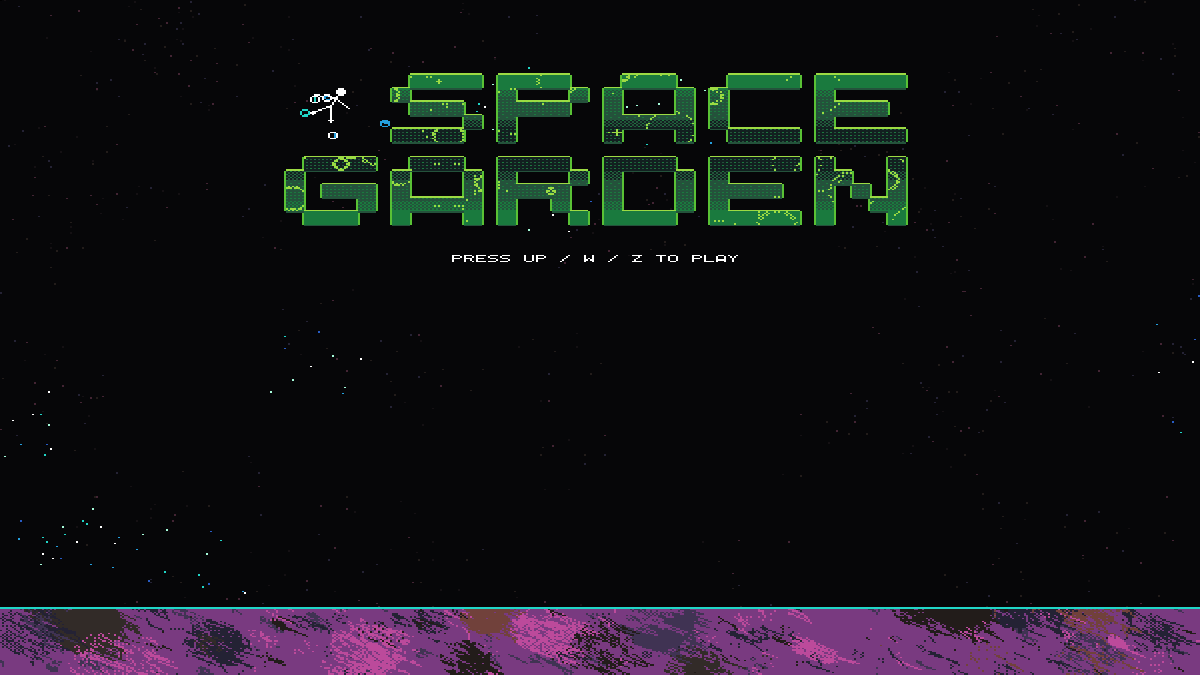
Space Garden
Run complete
Space Garden result
Highlights
Gameplay started.
Use the keyboard and mouse controls shown below.
Space Garden · Same-seed comparison
Compare both runs
View full run details
Reference run
Highlights
Your run
Highlights
This is a factual comparison with an anonymous, client-submitted snapshot. It is not a verified score or global ranking.
How to play
How to play Space Garden
Controls
- Use Left/Right Arrow, A/D, or Q/D to turn in space or move around a planet. Up Arrow, W, or Z provides forward thrust; Down Arrow or S provides reverse thrust in space.
- Press Up, W, or Z on the title screen to begin; a click can initialize game audio.
Goal
Spend energy to fill every node on a planet and revive it. Revived planets award sprites that help attack the red enemies.
About
About Space Garden
A walking-sim-in-space where a planet pollinator travels through a galaxy of dead worlds and hostile red growth.
Play better
Quick tips
First move
Start with Up, W, or Z, then use short thrusts to approach the first nearby planet without overshooting its gravity field.
Practical tip
Small corrections are easier than holding thrust—planet gravity changes your path as you get close.
Game info
Game details
- Genre
- simulation
- Session
- medium
- Play on
- desktop
- Controls
- keyboard, mouse
QuestHub review
Checked before listing
Source, license, build, and device checks are recorded for this game.
- Source
- License
- Build
- Desktop
- Mobile
Verification & source detailsPlay-test notes, browser checks, source and license
Play-test note
Naturally restored one tutorial planet in Chrome and observed energy regeneration nearby. R recovered the traveler while preserving the restored planet during that visit.
QuestHub checks
- Source recorded
- License reviewed
- Build verified
- Network reviewed
- Desktop tested
- Mobile tested
- Last checked
- 2026-09-06
- Browser
- Google Chrome
- Play on
- desktop
- Controls
- keyboard, mouse
These checks describe the recorded build on the date above. Browser, device, or upstream changes can affect later behavior.
Source & license
- Original creator
- See upstream source
- Source repository
- https://github.com/js13kGames/space-garden
- Pinned revision
7eb7310591492cc2ab6c5d42c8288192fd7105ed- Code license
- MIT AND Zlib
- Attribution required
- Yes
- Attribution
- See upstream source
- Asset review
- mixed
- QuestHub changes
- Not listed in the current catalog
These technical details come from the pinned source snapshot used for this QuestHub build.
Keep playing
More like this
Games with similar genre, controls, session style, or mechanics.